You will need to provide us with the following information to start service at a new location:
- The address of the new location
- Your name
- Your social security number, federal tax identification number or IRS 147C form
- Your date of birth
- Your telephone number at the new location
- Your mobile or business phone number
- The date you are requesting service
- Spouse's name (if applicable)
- Your email address (if applicable)
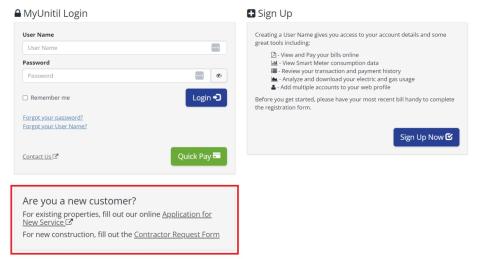
To start service, go to myaccount.unitil.com. Then, scroll down to the "Are you a new customer?" section, and select the appropriate form. For existing properties, fill out the "Application for New Service." For new construction properties, fill out the "Contractor Request Form."
Image